iOS App · Support
Bomb Loop
A guitar backing band and looper. Pick a key and a genre, the band plays, you solo. Chord and scale diagrams, a progression generator and practice tools are built in. Works fully offline. No ads, no accounts, no data collected.
Screens
01
Jam
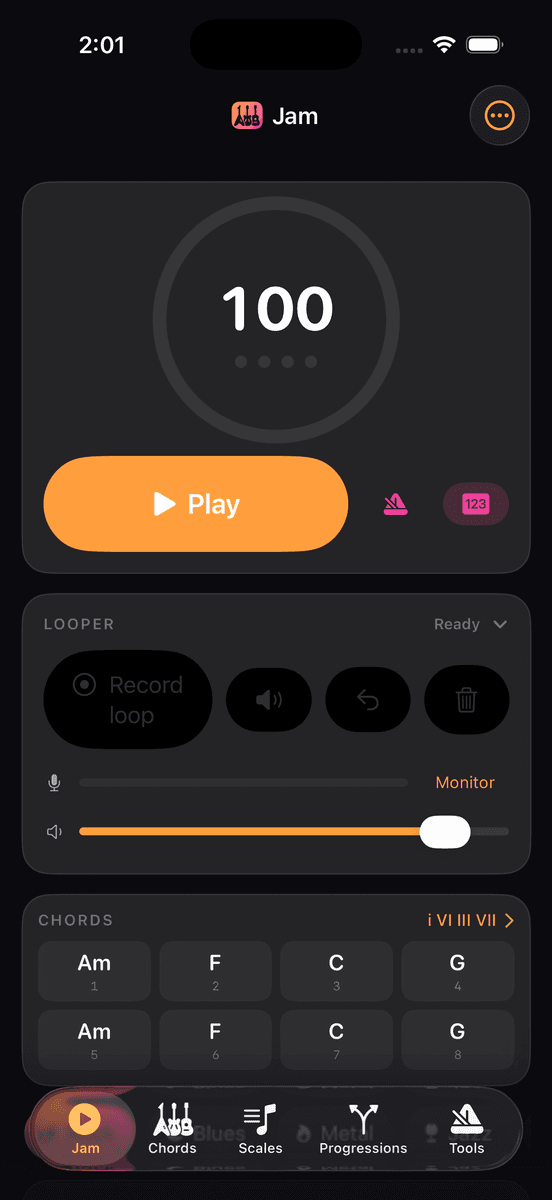
The band lives here. Big tempo dial, Play, and a chord chart that lights up bar by bar. Change key, genre, tempo, energy or feel while it plays and the arrangement re-generates without stopping. Tap any chord to see its voicings. The looper card sits directly under the transport for Pro users.
02
Chords
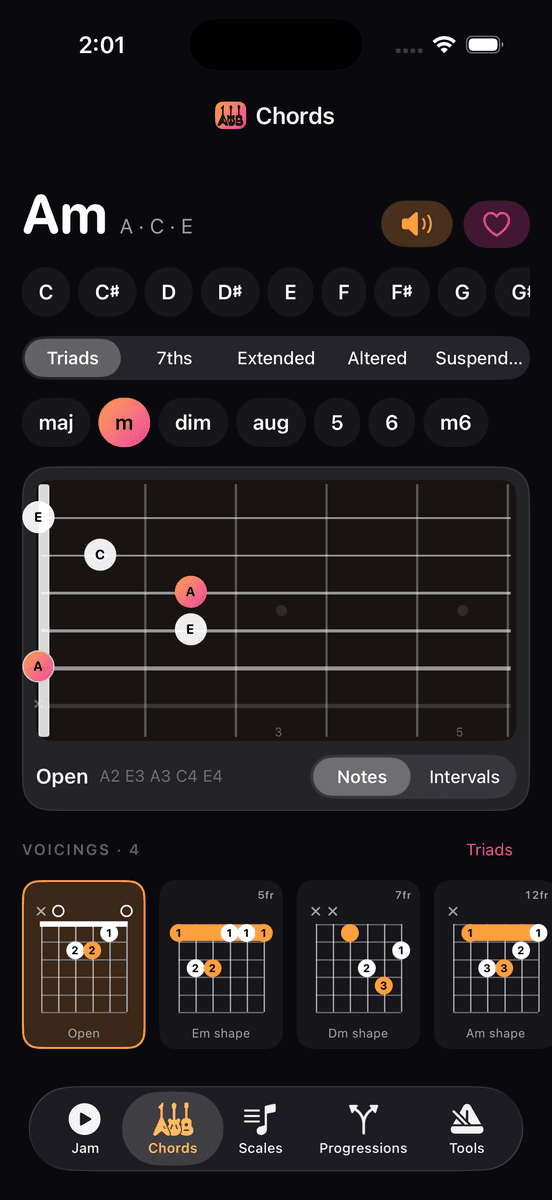
Choose a root and a quality and the whole neck shows the chord tones, root in amber. Below, a strip of playable voicings with nut, barre and muted-string markers, a fret-position label and a play button that strums each one. Triads by string set, and a star to keep the shapes you use.
03
Scales
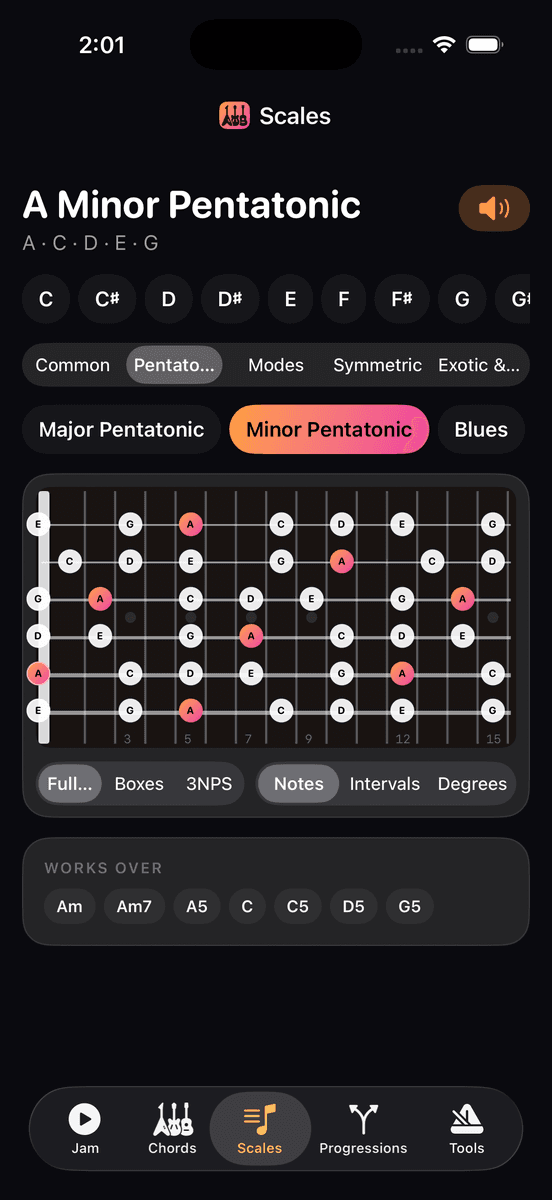
Pentatonics, modes, symmetric and exotic scales across the full neck, in five-box or three-notes-per-string layouts, labelled as notes, intervals or degrees. The Works over row lists the chords a scale fits, so it doubles as a solo-planning tool while the band plays.
04
Progressions
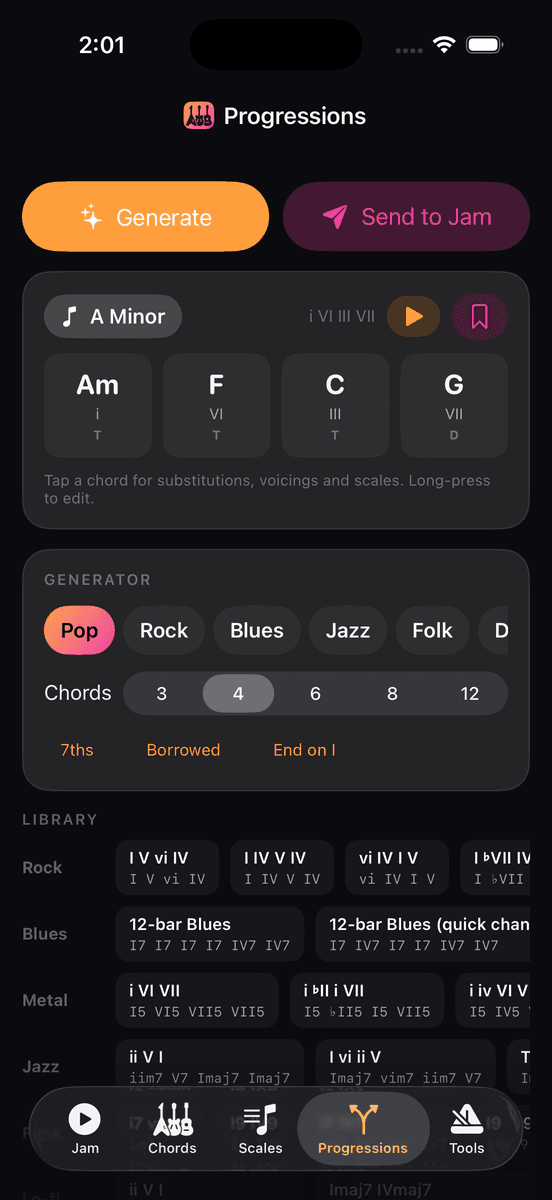
Pick a style — pop, rock, blues, jazz, folk, dark minor, neo-soul or ambient — a mood and a length, and generate progressions with roman numerals. Toggle borrowed harmony for ♭VII, ♭VI and altered dominants. Tap a chord for a voicing, scales to solo with and substitutions, then Send to Jam.
05
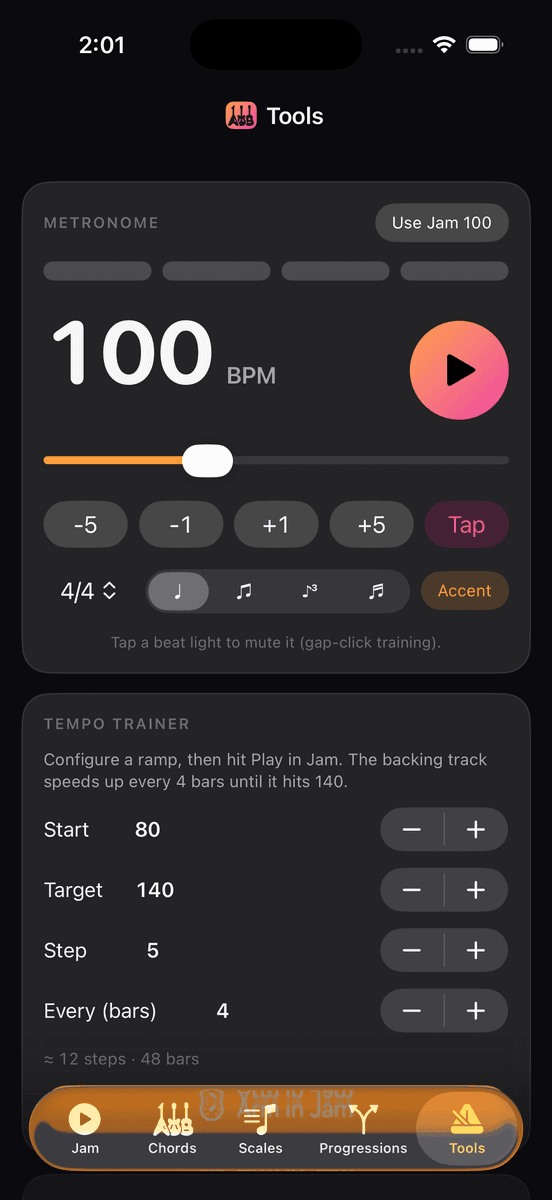
Tools
A metronome with accent patterns and subdivisions, a tempo trainer that steps the band up every N bars from a start tempo to a target, a practice timer with a chime, and a Circle of Fifths that sets the session key. The Help & guide lives at the bottom of this tab.
Contact Support
info@illbomb.comInclude your iOS version, device model and what you expected to happen. We aim to reply within two business days.
Features
- Jam — Pick a key, genre, tempo and feel. Drums, bass and rhythm guitar play the progression and follow every change you make mid-jam.
- Chords — Every chord quality in every key, with fretboard voicings, barre and mute markers, triads and a favourites list.
- Scales — Full-neck, five-box and three-notes-per-string layouts with notes, intervals or degrees, plus the chords each scale works over.
- Progressions — A functional-harmony generator in eight styles with borrowed chords and substitutions. One tap sends the result to the band.
- Tools — Metronome with accents and subdivisions, a tempo trainer that ramps you up over time, a practice timer and a Circle of Fifths.
- Looper — Record yourself over the band, then stack overdubs. Loops are always exactly one pass of the progression, so they never drift.
- Export — Save any jam as a Standard MIDI File or a WAV render with your looper layers mixed in.
Legal
→ Privacy PolicyInstrument sounds are rendered from the GeneralUser GS SoundFont by S. Christian Collins, used under its licence.
FAQ
Which parts are free?
Rock, Blues and Lo-fi genres, every chord and scale diagram, the metronome and three saved presets are free. Bomb Loop Pro is a one-time purchase that unlocks the remaining seven genres, song form, the progression generator, tempo trainer, MIDI/WAV export, unlimited presets and the looper.
The band sounds late or early against my playing.
Wired headphones or an audio interface give the tightest timing. Bluetooth headphones add 100–250 ms of latency that the app cannot remove. If you are recording loops, use the headphone output so the band does not bleed into the microphone.
How do I record into the looper?
Start the band, then press Record loop. Recording arms and begins at the next bar 1, runs exactly one pass of the progression and plays back automatically. Press Overdub for another layer. Input comes from the built-in microphone or any connected audio interface or adapter; the app uses whichever input iOS has active.
Can I use a drop tuning or a capo?
Version 1 draws diagrams in standard tuning only. Alternate tunings are planned. You can still play the band in any key and shift diagrams by ear for a capo.
Straight and swing feel sound similar on some genres.
Straight keeps only the small rhythmic pocket a genre has by default (funk and neo-soul lean slightly); Swing pushes off-beats to the triplet. On genres that are already straight — rock, metal — the difference is small by design. Blues and jazz change noticeably.
Does the app send my audio anywhere?
No. Looper recordings live in memory on your device and are only written to a file when you export. No account, no analytics, no advertising. See the privacy policy below.
Restore a purchase on a new phone.
Open the ⋯ menu on the Jam tab, choose Unlock Pro, then Restore Purchases. Pro is tied to your Apple ID.
Can I request a feature or report a bug?
Yes — email us with your iOS version, device, the genre and key you were using, and what you expected to happen.